
Let Your Team
DJ Together
Control Spotify playback collaboratively in Slack. Add songs, vote to skip, and create the perfect soundtrack for your workspace.
Control Spotify playback collaboratively in Slack. Add songs, vote to skip, and create the perfect soundtrack for your workspace.
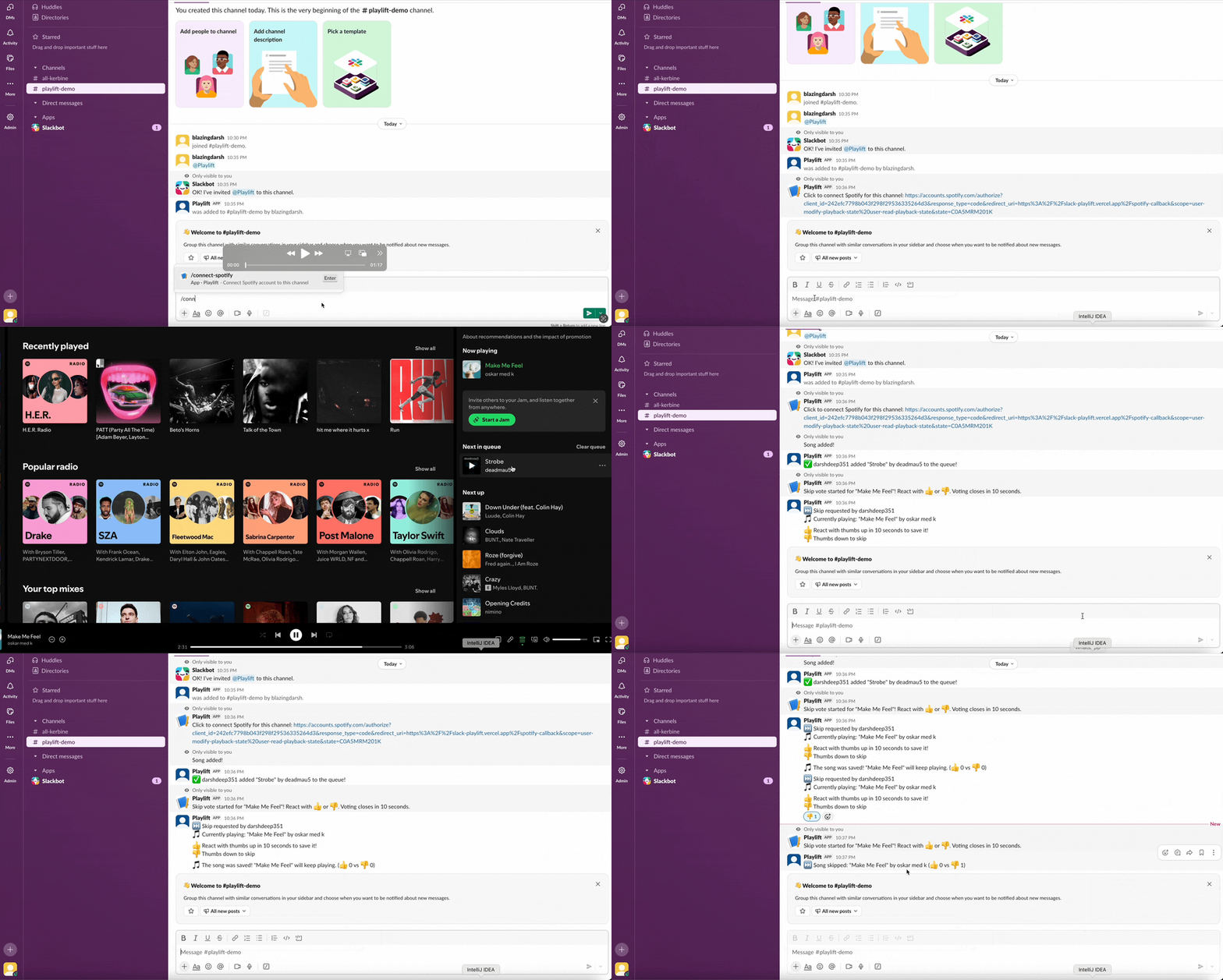
Use /connect to link any Slack channel to your Spotify account in seconds.
Anyone can queue tracks with /add-song Song - Artist. Democratic music control.
Use /skip and let the team vote with 👍/👎 reactions. Music democracy in action.
Add Playlift to your Slack workspace with one click. No configuration needed.
Type /connect in any channel to link it to your Spotify account.
Queue songs with /add-song and vote to skip tracks you don't like. That's it!
/connect
Connect this channel to your Spotify account
/add-song
Add a song to the queue
Example: /add-song Bohemian Rhapsody - Queen
/skip
Start a vote to skip the current track
Team votes with 👍 (save) or 👎 (skip) reactions for 10 seconds